Before you start
- A Xelent API account with a confirmed email. Create one if you have not.
- Etsy: an Etsy seller account with an open shop.
- Alibaba.com: a Gold Supplier store. Alibaba only gives API access to Gold Supplier stores; without one, the Product Studio skill makes Alibaba's bulk-upload spreadsheet for you instead.
Everything happens on the Marketplaces page of your dashboard. Each shop has its own Connect button.
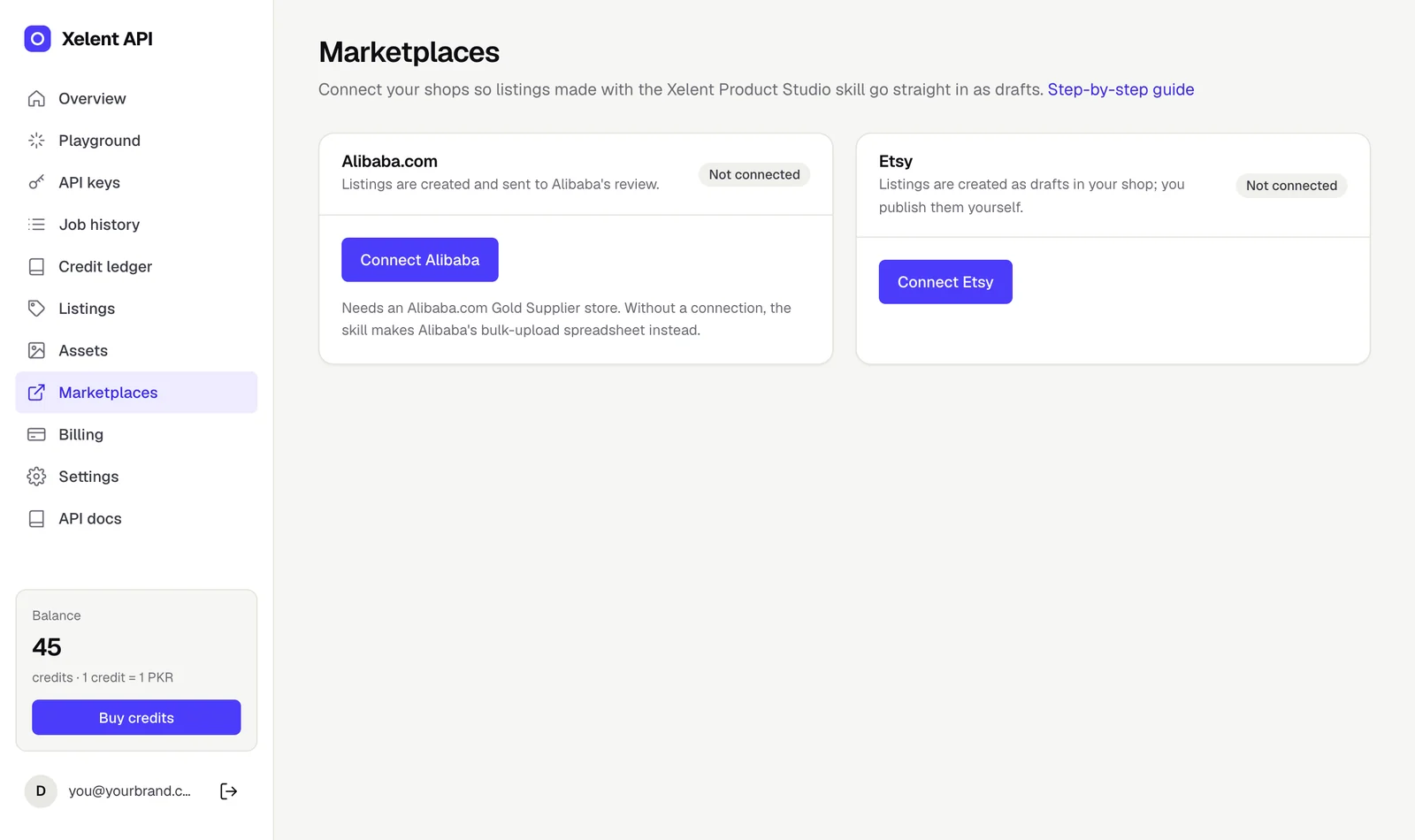
Connect Etsy
About five minutes. Etsy lets a shop use its API through an app you create for your own shop.
- Sign in to Etsy and open etsy.com/developers/your-apps. Create a new app for your shop: a name (for example "My shop listings") and a short description are enough.
- Open the app's settings and add this callback URL, exactly as written:
https://xelentapi.com/oauth/etsy/callback - Copy the app's Keystring and Shared secret from the app page.
- In your dashboard, open Marketplaces, click Connect Etsy, paste both values and click Continue to Etsy.
- Etsy asks you to sign in and allow access to your shop. Approve it. You come back to Marketplaces, and the Etsy card shows Connected with your shop name.
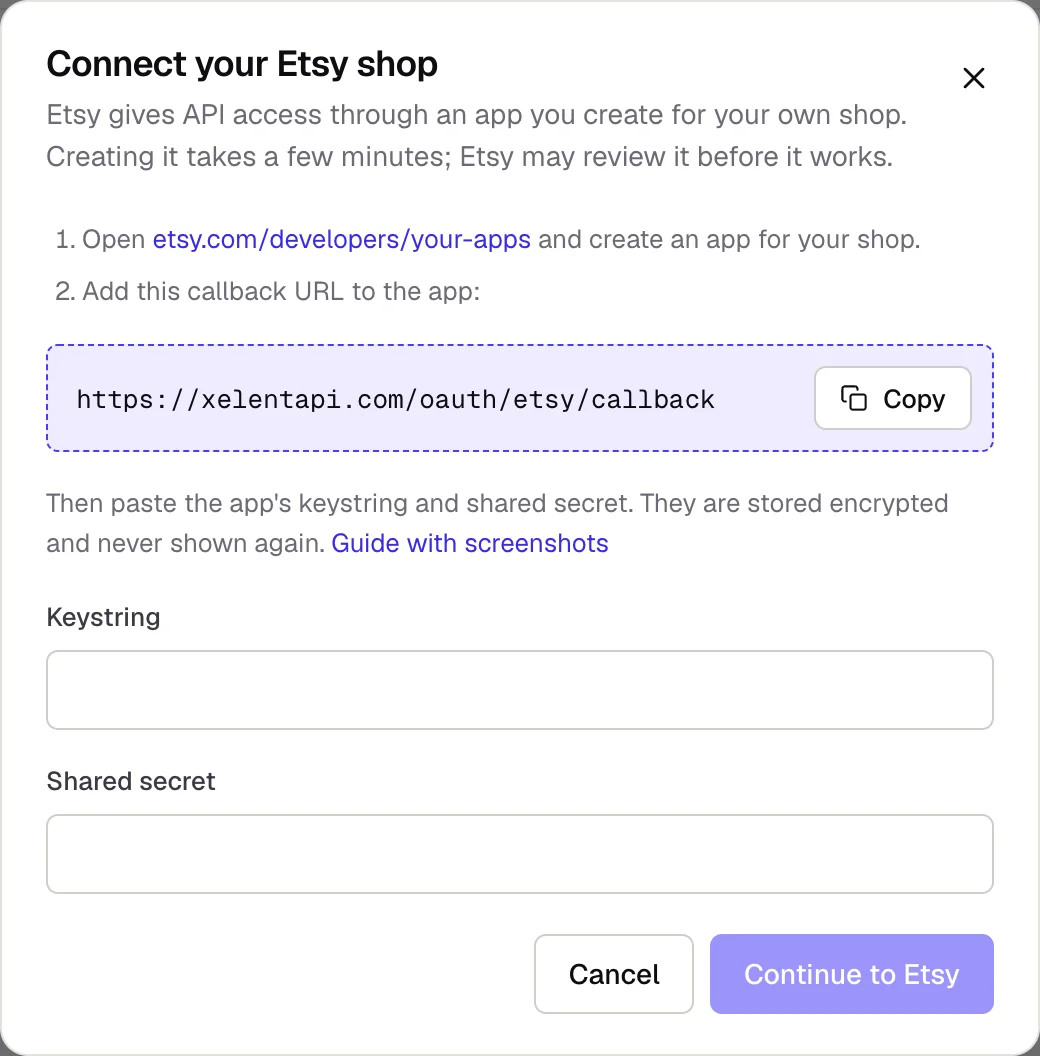
Etsy reviews new apps. If Etsy says the app is not approved yet, wait for its approval email and connect again.
Connect Alibaba.com
About ten minutes. Alibaba gives access through an app on the Alibaba.com Open Platform, created with your seller account.
- Sign in to the Alibaba.com Open Platform with your Alibaba.com seller account and create an app. An individual developer app is enough to connect your own store.
- In the app's details, set the callback (redirect) URL to:
https://xelentapi.com/oauth/alibaba/callback - Copy the app's App Key and App Secret from the same page.
- In your dashboard, open Marketplaces, click Connect Alibaba, paste both values and click Continue to Alibaba.
- Sign in to Alibaba.com and approve access. You come back to Marketplaces, and the Alibaba card shows Connected with your account and seller id.
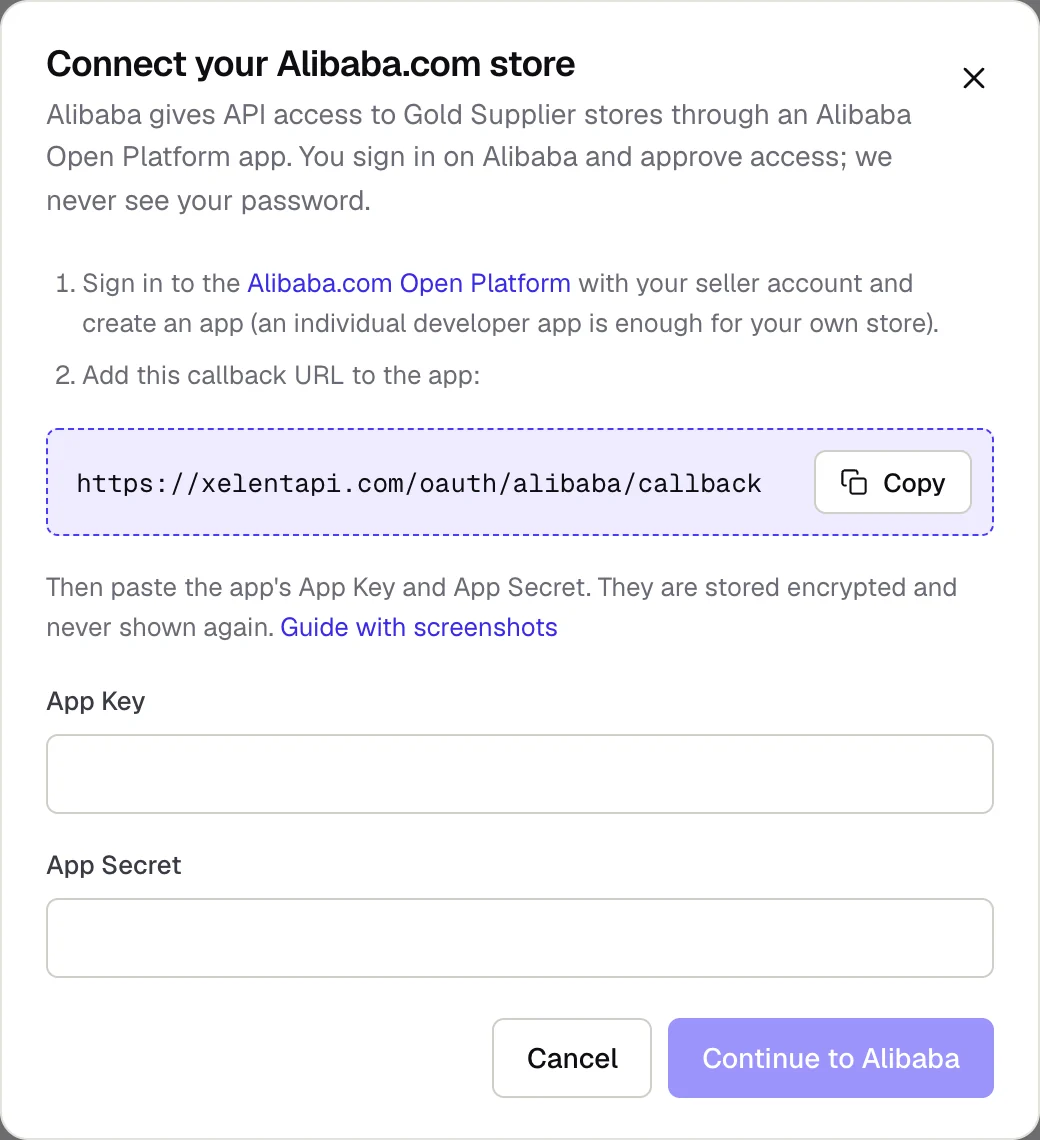
If the dialog offers Use Xelent API's app, you can skip the first three steps: choose it, continue and approve access on Alibaba.com.
After you connect
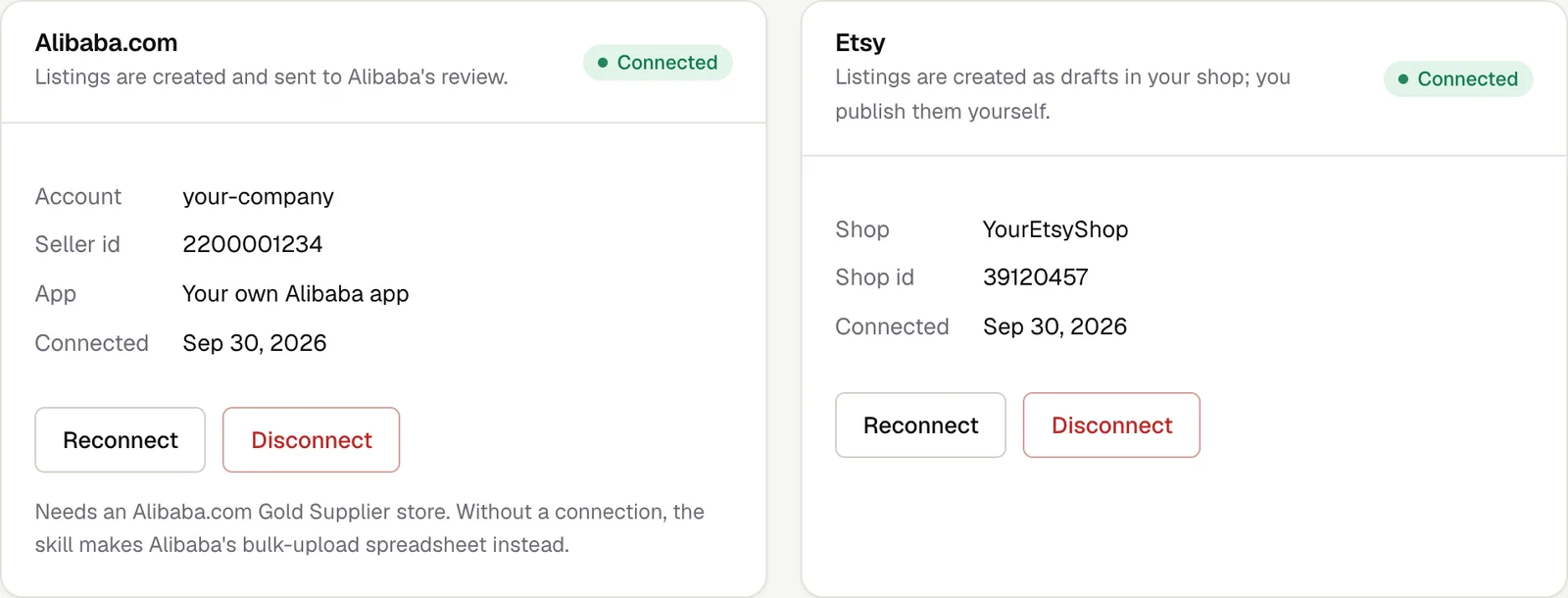
- Etsy listings arrive as drafts in Etsy Shop Manager. Check them, add anything Etsy asks for (personalisation, shipping details) and publish when you are ready.
- Alibaba.com products are submitted to Alibaba's review. Their status shows on the Listings page of your dashboard, with a link to each product.
- Listing images are hosted from your Assets and deleted 7 days after the listing is submitted; by then Etsy and Alibaba keep their own copies.
- The connection stays signed in. If Etsy or Alibaba ever ends it, the card shows Needs attention: click Reconnect. You can leave the key fields empty to reuse the app you saved.
- Using the Product Studio skill in Claude:
node scripts/xelent.mjs checkshows both shops as connected.
Your keys and security
- Your app keys and secrets are stored encrypted and are never shown again, to you or to us.
- You sign in on Etsy's and Alibaba's own sites. We never see your Etsy or Alibaba password.
- The access is used to create listings and drafts and to check their status. Nothing is ever published live on your behalf.
- Disconnect removes the stored keys and access from Xelent API at once. You can also delete the app on Etsy's or Alibaba's developer site to end access from their side.
Troubleshooting
- "This sign-in link has expired"
- The sign-in took longer than 15 minutes, or an old link was opened. Click Connect again.
- Etsy or Alibaba says the redirect or callback URL does not match
- The callback URL in your app must be exactly the one above:
https://, no extra spaces and no slash at the end. - "Signed in, but this Etsy account has no shop"
- Connect with the Etsy account that owns the shop.
- "Alibaba refused the connection"
- Check the App Key and App Secret, the callback URL in your app, and that the store is a Gold Supplier store.
- Clicking Connect shows an error instead of the form
- Your dashboard tab is running an older version. Reload the page and try again.
- Still stuck?
- Email support@xelentapi.com with a screenshot of the Marketplaces page. Never send us your app secret.